Digital Art Tool Matchup
- Procreate is strongest for iPad-first sketching, painting, and portable illustration.
- Photoshop is strongest for image editing, compositing, production handoff, and broad creative-industry compatibility.
- Clip Studio Paint is strongest for comics, manga, webtoons, line art, and multi-page storytelling.
- Choose by output needs, hardware, collaboration requirements, and whether you work mainly in single images or sequential art.
Procreate, Photoshop, and Clip Studio Paint can all support professional art, but they are optimized for different artists. Procreate fits portable drawing, Photoshop fits broad image-editing and production workflows, and Clip Studio Paint fits comics, manga, webtoons, and line-focused illustration.
Match the tool to the job you repeat most
A digital art app should reduce friction in your most common work, not just impress you with a feature list. If you sketch daily on an iPad, Procreate’s directness may matter more than desktop depth. If you prepare campaign graphics, photo composites, and layered files for clients, Photoshop’s ecosystem can be hard to avoid. If your work has panels, speech balloons, tones, pages, or serialized updates, Clip Studio Paint may save hours.
Official product information from Procreate, Adobe Photoshop, and Clip Studio Paint shows how differently these tools present themselves: one emphasizes iPad-native creation, one emphasizes image and design editing, and one emphasizes drawing, comics, manga, and animation. That positioning is a useful starting point.
For artists who are still choosing between physical and digital practice, compare oil, acrylic, and gouache first to clarify how medium behavior affects creative goals.
The core comparison for working artists
| Tool | Best fit | Main caution |
|---|---|---|
| Procreate | iPad sketching, painting, illustration, travel-friendly practice | Less ideal for complex desktop production pipelines or team handoff |
| Photoshop | Photo editing, composites, client work, layered assets, broad industry compatibility | Subscription cost and broad feature set can feel heavy for pure drawing |
| Clip Studio Paint | Comics, manga, webtoons, line art, page management, inking | Interface depth can feel dense for casual sketching |
The best app is usually the one that removes a bottleneck. A children’s book illustrator may value brush feel and portability. A concept artist may need layered files, adjustments, and handoff to a studio pipeline. A comic artist may care more about panel tools, vector line correction, balloons, and page organization than photo-editing power.
Procreate is strongest when drawing feels immediate
Procreate’s appeal is that it feels close to opening a sketchbook. For many artists, that matters more than having every possible feature. The app is well suited to thumbnails, studies, finished illustrations, brush experiments, and short animations. It is especially attractive when the artist wants one device, a stylus, and minimal setup.
The limits show up when collaboration, file interchange, typography, print production, or large multi-step workflows dominate. You can export files and build professional work in Procreate, but you should test your exact delivery needs before making it your only tool. Canvas size, layer limits, and handoff requirements can matter on commercial projects.
Photoshop is the flexible production hub
Photoshop remains powerful because it sits at the intersection of drawing, photo editing, retouching, compositing, text, masks, color adjustment, and client-file expectations. It may not feel as simple as a pure drawing app, but it is useful when artwork must be revised, resized, integrated with photographs, or delivered in formats collaborators expect.
The drawback is weight. Some illustrators do not need a large subscription ecosystem or a deep image-editing toolbox. They need a clean canvas and responsive brushes. Photoshop is best when its extra capabilities solve real production problems rather than sitting unused. Artists comparing creative tools with other media choices may find the music format comparison useful because both decisions involve ownership, access, cost, and habits.
Clip Studio Paint serves sequential storytellers
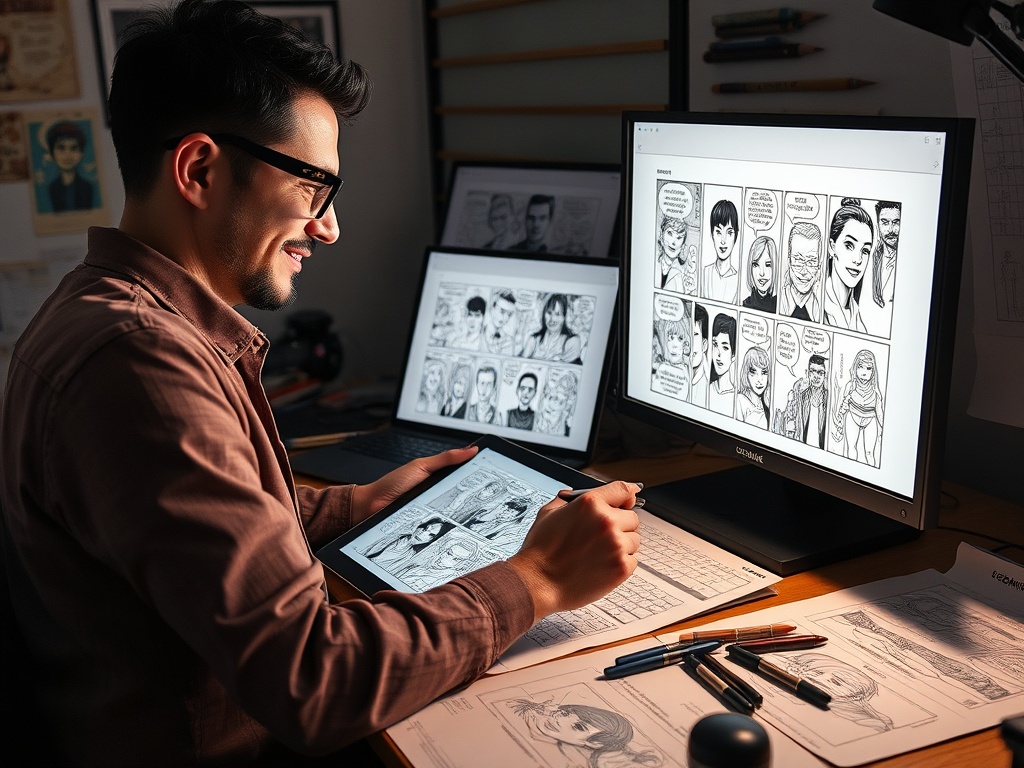
Clip Studio Paint shines when a drawing is part of a sequence. Its comic and manga tools support panel frames, balloons, tones, perspective aids, vector line editing, and multi-page workflows. The Clip Studio comics and manga feature page makes clear that the software is built for this kind of production rather than just single-image painting.
That depth can feel like clutter if you only make occasional sketches. But for webtoon artists, manga creators, storyboarders, and illustrators who ink heavily, those specialized tools can become the reason the app pays for itself.
Pricing, hardware, and learning curve
Do not compare price without comparing hardware. Procreate requires compatible Apple hardware. Photoshop can run across desktop and web/mobile contexts depending on plan, but it brings recurring subscription considerations. Clip Studio Paint offers multiple plans and versions, which means you should check current device and license terms before buying.
Learning curve also depends on your prior habits. A traditional sketcher may adapt quickly to Procreate. A designer familiar with layers and masks may find Photoshop natural. A manga reader who thinks in pages and panels may tolerate Clip Studio’s complexity because the payoff is obvious.
File Handoff Questions Save Regret
Before choosing your main app, ask what happens after the artwork is finished. Will a client need layered files? Will a printer need color-managed exports? Will you revise text, crop for multiple platforms, or package pages into a book? A hobby sketch can stay inside one app, but commercial work often moves across devices, file formats, and collaborators. Testing export and revision steps early prevents an attractive drawing tool from becoming a production bottleneck later.
Also test how the app feels after an hour, not just during the first five minutes. Brush response, shortcut comfort, palm rejection, layer management, and export steps become more important as projects grow. A tool that feels exciting in a demo may feel slow when a deadline requires twenty revisions.
Pick the App That Removes Your Biggest Bottleneck
Choose Procreate if your bottleneck is starting and sketching consistently. Choose Photoshop if your bottleneck is production, editing, compositing, or client compatibility. Choose Clip Studio Paint if your bottleneck is line art, panels, pages, or serialized storytelling.
Before committing, complete the same small project in each tool: rough sketch, clean line, color, export, and revision. The right app will not only produce a good image; it will make your process feel repeatable.